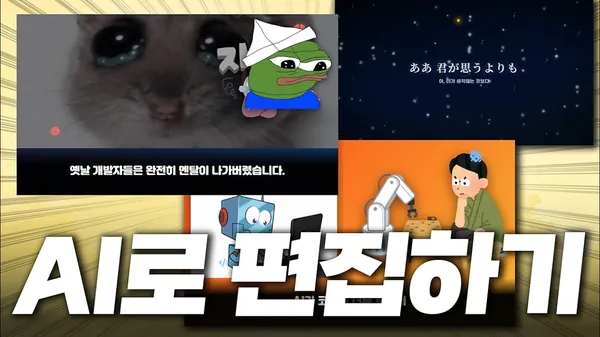
Video
How to automate video editing with Claude Code
2026.04.19
·YouTube·by 배레온/부산/개발자#AI#Automation#Claude Code#Python#Video Editing
Key Points
- 1This video demonstrates how Claude Code, an AI, can be used to generate and edit videos programmatically, significantly reducing the traditional time and skill required for video production.
- 2By leveraging libraries like Remotion and custom "skills," Claude Code automates various editing tasks, including asset procurement, TTS generation, image searching, and error correction, all guided by simple user prompts.
- 3This AI-driven approach enabled the creator to produce two complex videos in just three hours, showcasing a remarkably efficient and accessible method for content creation previously requiring days of manual effort.
This paper describes a methodology for programmatic video generation using an AI assistant called "Claude Code" in conjunction with the "Remotion" library. The core idea is to treat video creation as a coding task, eliminating the need for traditional graphical video editing software.
The methodology can be broken down into several key components and steps:
- Claude Code as the Orchestrator: Claude Code, an AI assistant (implied to be an advanced language model capable of code generation), serves as the primary interface. Users interact with it using natural language prompts to describe their desired video content and modifications. Claude Code then translates these prompts into executable code, primarily for the Remotion library.
- Remotion Library for Video as Code: Remotion is a Python/JavaScript library (specifically mentioned as React-based, implying JavaScript/TypeScript) that enables the creation of videos programmatically using web technologies (HTML, CSS, JavaScript/TypeScript). It allows users to define video scenes, animations, and compositions using code, rather than a GUI. Claude Code generates Remotion-compatible code to construct the video frames and sequences.
- "Skills" System for Capability Definition:
- Definition: "Skills" are represented as Markdown files (e.g.,
Claude.md,Skills.md) that act as rulebooks or capability manifests for Claude Code. These files inform the AI about available functions, external tools, and how to interact with them. - Pre-deployed Skills: Libraries like Remotion can come with pre-deployed skills, offering common video generation functionalities. The paper states that Remotion has such pre-deployed skills which were utilized.
- Custom Skills: Users can define their own skills to extend Claude Code's capabilities. Examples given include:
- Asset Sourcing: Skills to automatically download assets from specific sources, such as
GP(for general images),Ilastoa(for illustrations),Font Awesome(for icons), andMy Instant(for sound effects). When Claude Code is instructed to "register a skill" for such functionality, it automatically implements and registers it. - Speech-to-Text (ASR): Integration of services like OpenAI's Whisper API as a skill to convert audio from YouTube URLs into text for subtitle generation or script analysis.
- Debugging and Refinement: A sophisticated skill was registered to convert video intermediate frames into images. This allowed Claude Code to visually analyze the video output, identify glitches, and automatically correct them by adjusting the underlying code.
- Effect Integration: The ability to download and embed CSS code for visual effects (e.g., falling stars) into the video using Claude Code.
- Asset Sourcing: Skills to automatically download assets from specific sources, such as
- Definition: "Skills" are represented as Markdown files (e.g.,
- Iterative Video Creation Workflow:
- Script Generation: Users provide a script or story idea. Claude Code can then automatically generate TTS (Text-to-Speech) audio for the dialogue.
- Initial Generation: Claude Code, using the defined skills, searches for relevant images, illustrations, and sound effects, then integrates them with the script and TTS to produce an initial video draft.
- Refinement and Customization: Users provide iterative feedback and instructions to Claude Code, such as:
- Changing video length (short-form to long-form).
- Adding specific custom images (e.g., a "Pepe" image).
- Adjusting audio volumes or replacing sound effects.
- Modifying visual design elements.
- Correcting visual artifacts by analyzing generated frames.
- Adding advanced visual effects.
- Rapid Prototyping: The process allows for very rapid prototyping and generation of video content. The presenter noted completing two videos, including setting up the environment, in approximately three hours, significantly faster than traditional methods.
In essence, the methodology leverages the AI's natural language understanding and code generation capabilities to abstract away the complexities of programmatic video editing, making it accessible to users without deep programming knowledge. The "skills" system provides a modular and extensible way to integrate various tools and functionalities into the AI-driven video creation pipeline.